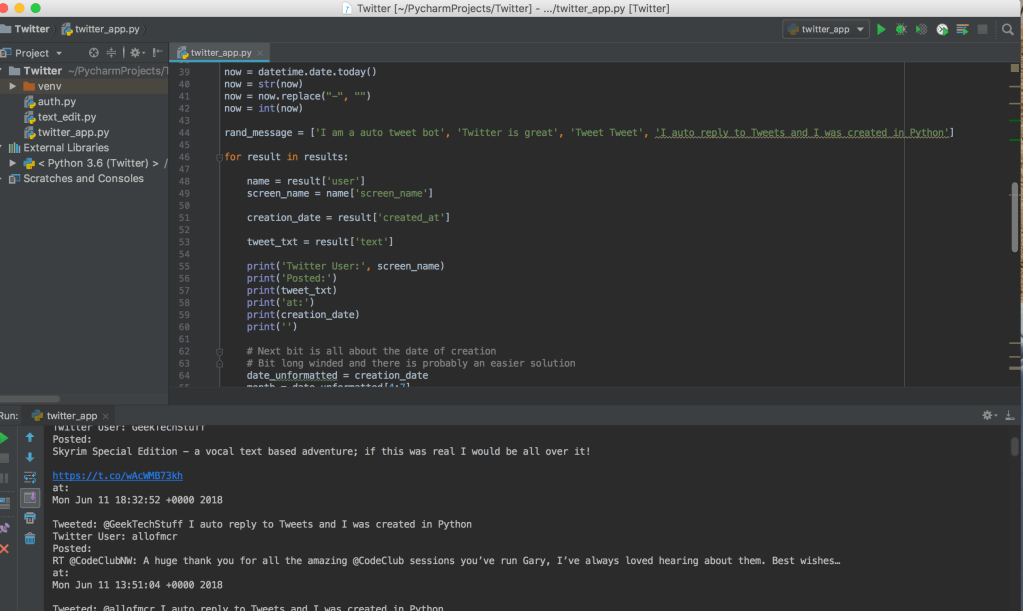
On my first run of the Twitter auto reply Python program I managed to cause a 403 Forbidden as the program duplicated a status:

I’ve now got a round this by creating a list of replies, importing the random library and using random.choice() on the list.
# geektechstuff
# Twitter Application

from twython import Twython
#Twython is a Twitter Python library

import datetime
import time
import random

#imports the Twitter API keys

from auth import (
    consumer_key,
    consumer_secret,
    access_token,
    access_token_secret
)

twitter = Twython(
    consumer_key,
    consumer_secret,
    access_token,
    access_token_secret
)

# This searches Tweets

print('GeekTechStuff Twitter Search Python Program')
print('')
search_term = input('What word should I look for? ')

results = twitter.cursor(twitter.search, q=search_term)

print('')
print('Searching Twitter...')
print('')

now = datetime.date.today()
now = str(now)
now = now.replace("-", "")
now = int(now)

rand_message = ['I am a auto tweet bot', 'Twitter is great', 'Tweet Tweet', 'I auto reply to Tweets and I was created in Python']

for result in results:

    name = result['user']
    screen_name = name['screen_name']

    creation_date = result['created_at']

    tweet_txt = result['text']

    print('Twitter User:', screen_name)
    print('Posted:')
    print(tweet_txt)
    print('at:')
    print(creation_date)
    print('')

    # Next bit is all about the date of creation
    # Bit long winded and there is probably an easier solution
    date_unformatted = creation_date
    month = date_unformatted[4:7]
    date = date_unformatted[8:10]
    year = date_unformatted[-4:]
    if month == 'Jan':
        month = '01'
    elif month == 'Feb':
        month = '02'
    elif month == 'Mar':
        month = '03'
    elif month == 'Apr':
        month = '04'
    elif month == 'May':
        month = '05'
    elif month == 'Jun':
        month = '06'
    elif month == 'Jul':
        month = '07'
    elif month == 'Aug':
        month = '08'
    elif month == 'Sep':
        month = '09'
    elif month == 'Oct':
        month = '10'
    elif month == 'Nov':
        month = '11'
    elif month == 'Dec':
        month = '12'

    formatted_date = year + month + date
    formatted_date = int(formatted_date)
    yesterday = now - 1
    if formatted_date >= yesterday:
        #This posts Tweets
        twitter_handle = '@' + screen_name
        message = twitter_handle+" "+random.choice(rand_message)
        twitter.update_status(status=message, in_reply_to_status_id=twitter_handle)
        print("Tweeted: %s" % message)
        #delay so that it doesn't look like the program is spamming Twitter
        time.sleep(15)




 GeekTechStuff
One response to “Twitter Auto Reply To Tweets V2 (Python)”
[…] a little bit of a rework on this compared to V1 and V2 . I’ve scrapped the “date” format and instead utilised the Tweet ID and […]
LikeLike