
Did a little bit of a rework on this compared to V1 and V2 . I’ve scrapped the “date” format and instead utilised the Tweet ID and writing/reading from a text (txt) file. Every tweet on Twitter is stamped with an ID, I’ve altered my program so that once it has replied to a tweet it records the tweet ID to a file, and then before it replies to a tweet it checks to see if the ID is in the file – if the ID is in the file then no replying, if the ID is not in the file then tweet reply!
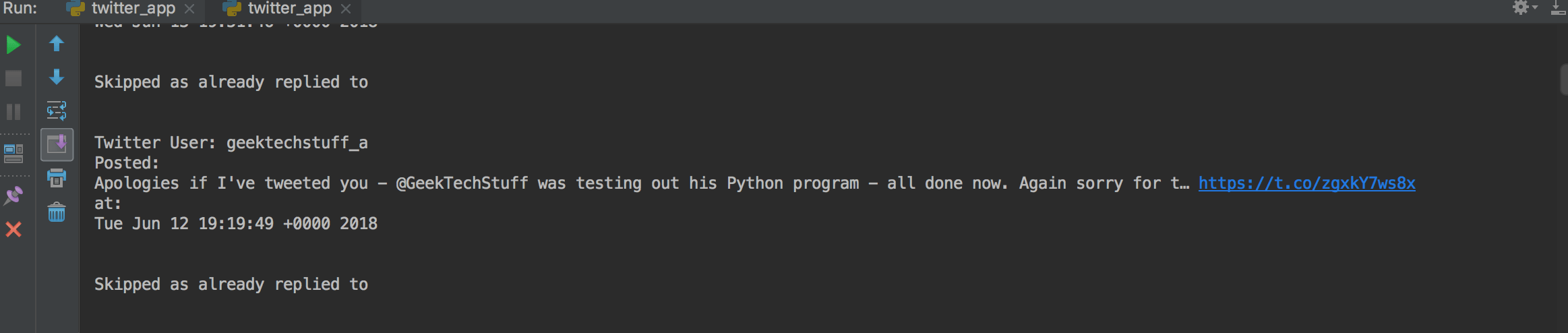
Full program is up on my Github https://github.com/geektechdude/Twitter_Auto_Reply_-Python-
# geektechstuff
# Twitter Application

from twython import Twython
# Twython is a Twitter Python library

import random

# imports the Twitter API keys

from auth import (
    consumer_key,
    consumer_secret,
    access_token,
    access_token_secret
)

twitter = Twython(
    consumer_key,
    consumer_secret,
    access_token,
    access_token_secret
)

ids_replied_to = []
with open('ids_replied_to.txt', 'r') as filehandle:
    filecontents = filehandle.readlines()

    for line in filecontents:
        # remove linebreak which is the last character of the string
        current_place = line[:-1]
        # add item to the list
        ids_replied_to.append(current_place)

# This searches Tweets
print('')
print('GeekTechStuff Twitter Search Python Program')
print('')
search_term = input('What word should I look for? ')

results = twitter.cursor(twitter.search, q=search_term)

print('')
print('Searching Twitter...')
print('')

# These are the tweets the bot can send
rand_message = ['I am a auto tweet bot', 'Twitter is great', 'Tweet Tweet',
                'I auto reply to Tweets and I was created in Python', ]

for result in results:

    name = result['user']
    screen_name = name['screen_name']

    creation_date = result['created_at']

    tweet_txt = result['text']

    id = result['id']

    print('Twitter User:', screen_name)
    print('Posted:')
    print(tweet_txt)
    print('at:')
    print(creation_date)
    print('')

    # This posts Tweets
    id = str(id)
    if id in ids_replied_to:
        print('')
        print('Skipped as already replied to')
        print('')
        print('')
    else:
        twitter_handle = '@' + screen_name
        message = twitter_handle + " " + random.choice(rand_message)
        twitter.update_status(status=message, in_reply_to_status_id=id)
        print("Tweeted: %s" % message)
        id = int(id)
        ids_replied_to.append(id)
        with open('ids_replied_to.txt', 'w') as filehandle:
            filehandle.writelines("%s\n" % place for place in ids_replied_to)
        # delay so that it doesn't look like the program is spamming Twitter
        time.sleep(5)



 GeekTechStuff
4 responses to “Twitter Auto Reply To Tweets V3 (Python)”
[…] on from my various Twitter auto reply blog posts and my purchase of a Raspberry Pi Zero W, it was time to all proof of concept (PoC) and […]
LikeLike
[…] some of my previous work, so if you want to follow my full thinking you may want to check out: My Twitter Bot and my first use of Azure. If you are skipping that reading then you will need the following to […]
LikeLike
[…] being able to retweet positive tweets. I’ve reused some of the code from my earlier Twitter Tweet bot (which currently automatically tweets the temperature of a room) and at regular intervals the […]
LikeLike
[…] while back I created a twitter bot using Python and automated it on a Raspberry Pi so that it would auto reply to tweets and tweet sensor readings. Then I used that Pi in a different project, and my Twitter bot […]
LikeLike