Yesterday I got V1 on my Pollen Check program running, and in all honesty I managed to complete part 2 last night but didn’t get chance to write a blog post as it was getting late.
V2 of the Pollen Check program doesn’t display onscreen the pollen data, instead it e-mails it. Remember the challenge was to create a notification program, well part one got the data and now part two is going to deliver it. To accomplish this I am going to use the smptlib library in Python3.
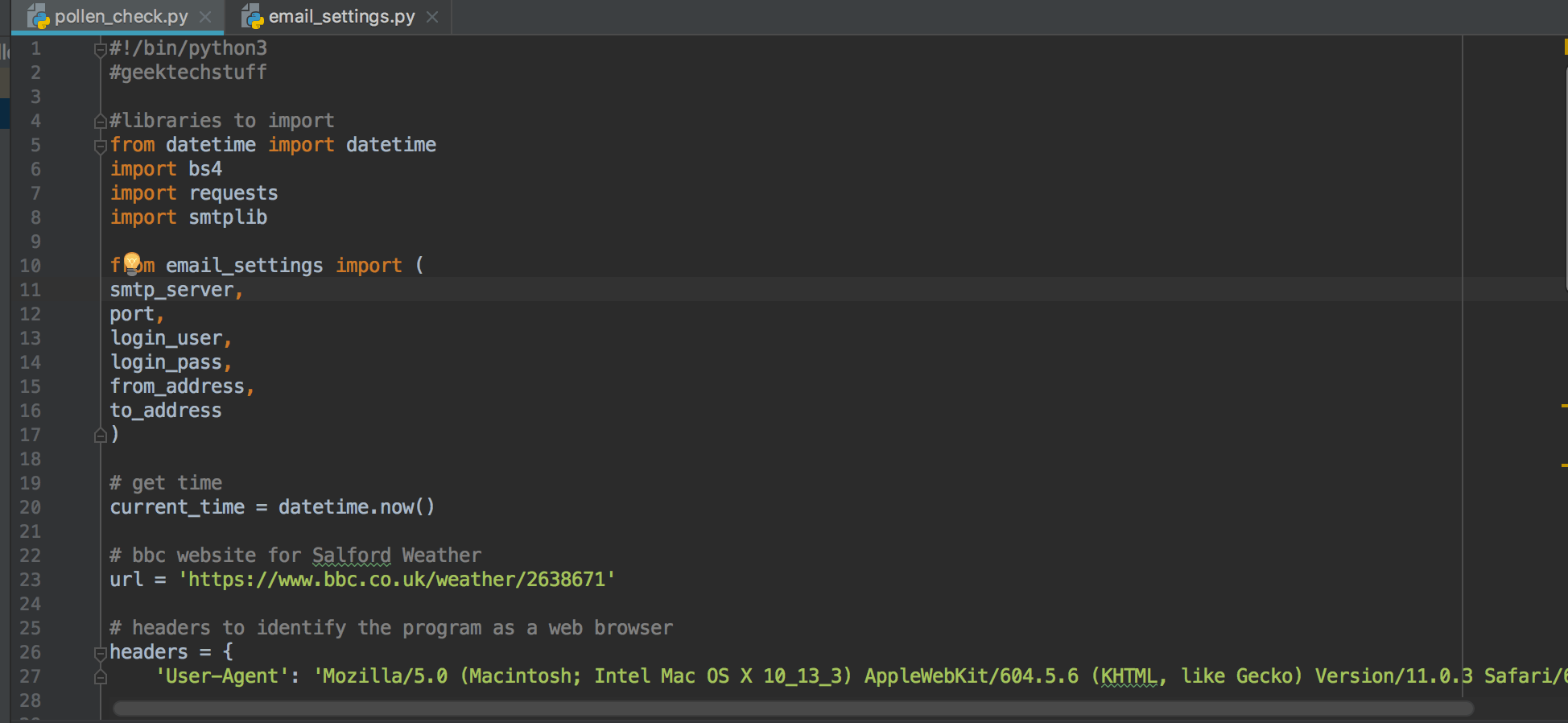
After importing smtplib I also created a second .py file in the same directory as the pollen_check.py file. This second .py file is called email_settings.py and contains several lines looking this:
smtp_server = "smtp address of my mail server"
port = "port number that connections occur on"
login_user = "logon username"
login_pass = "logon password"
from_address = "address emails are coming from"
to_address = "address emails are going to"
In my email_settings.py are my email settings – check with your email provider for your settings.
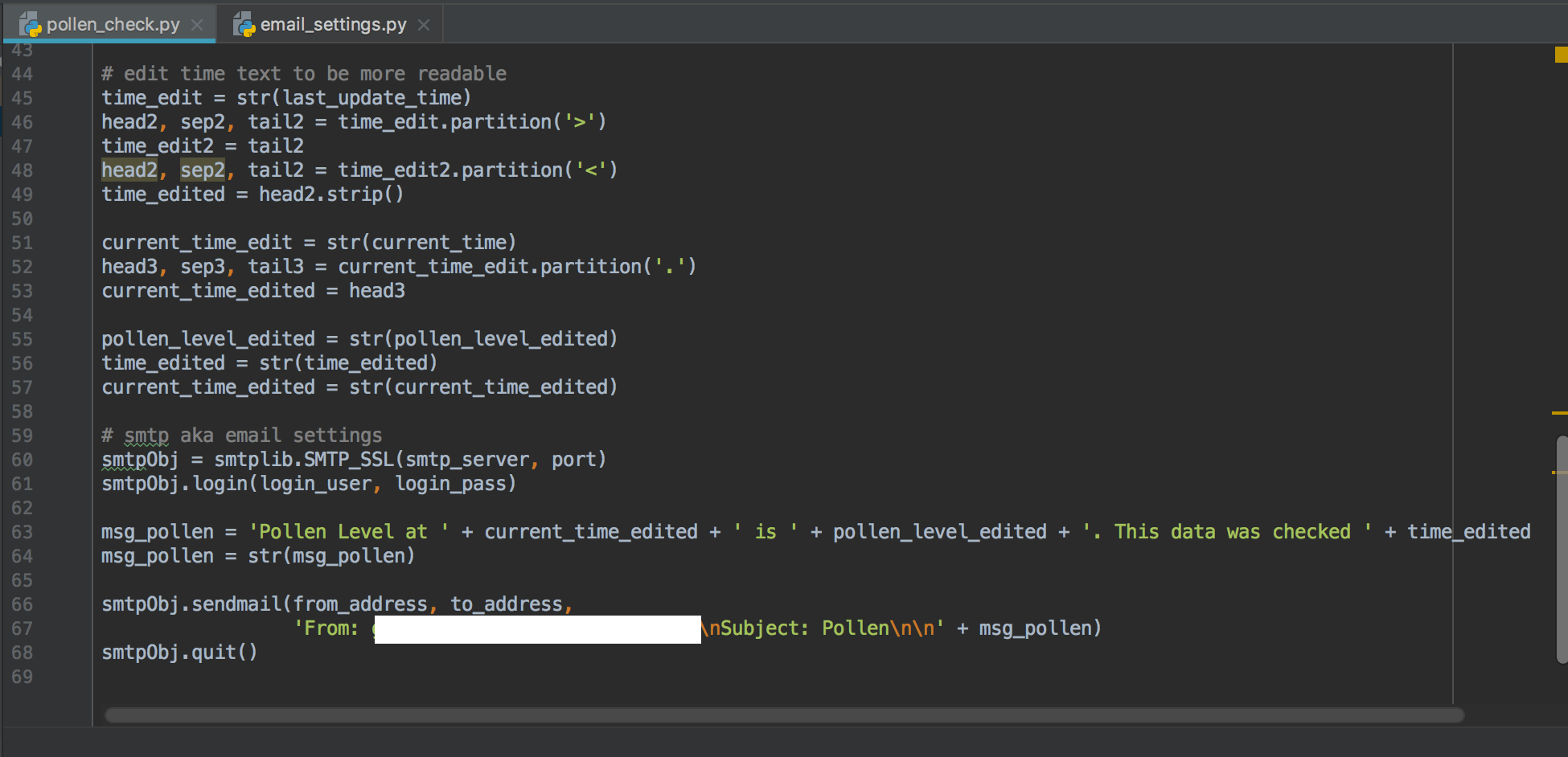
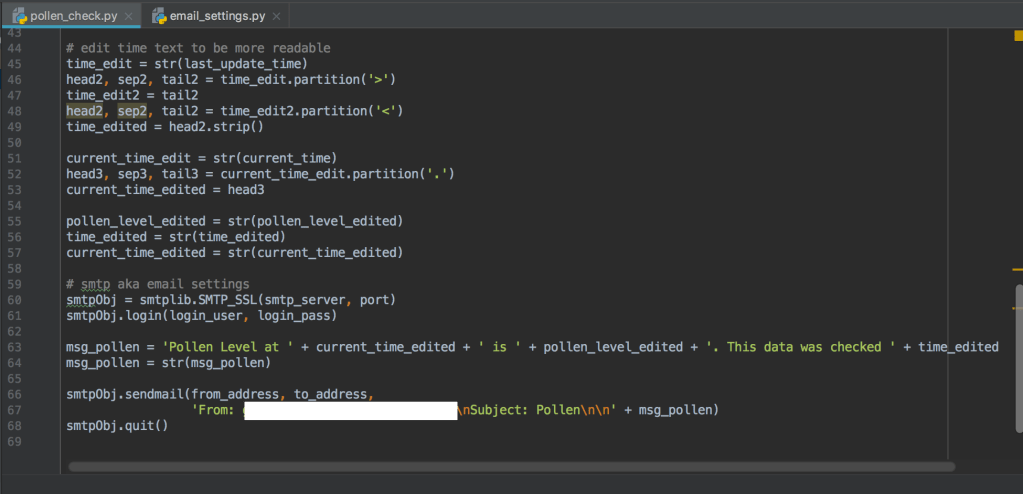
With the email settings in place and a connection method (SSL or TLS) defined, smtplib will allow the sending of emails with just a few more details (from, to, subject, message). After subject \n\n is used to new line break into the message.
My first attempt at sending a test message did not go well.
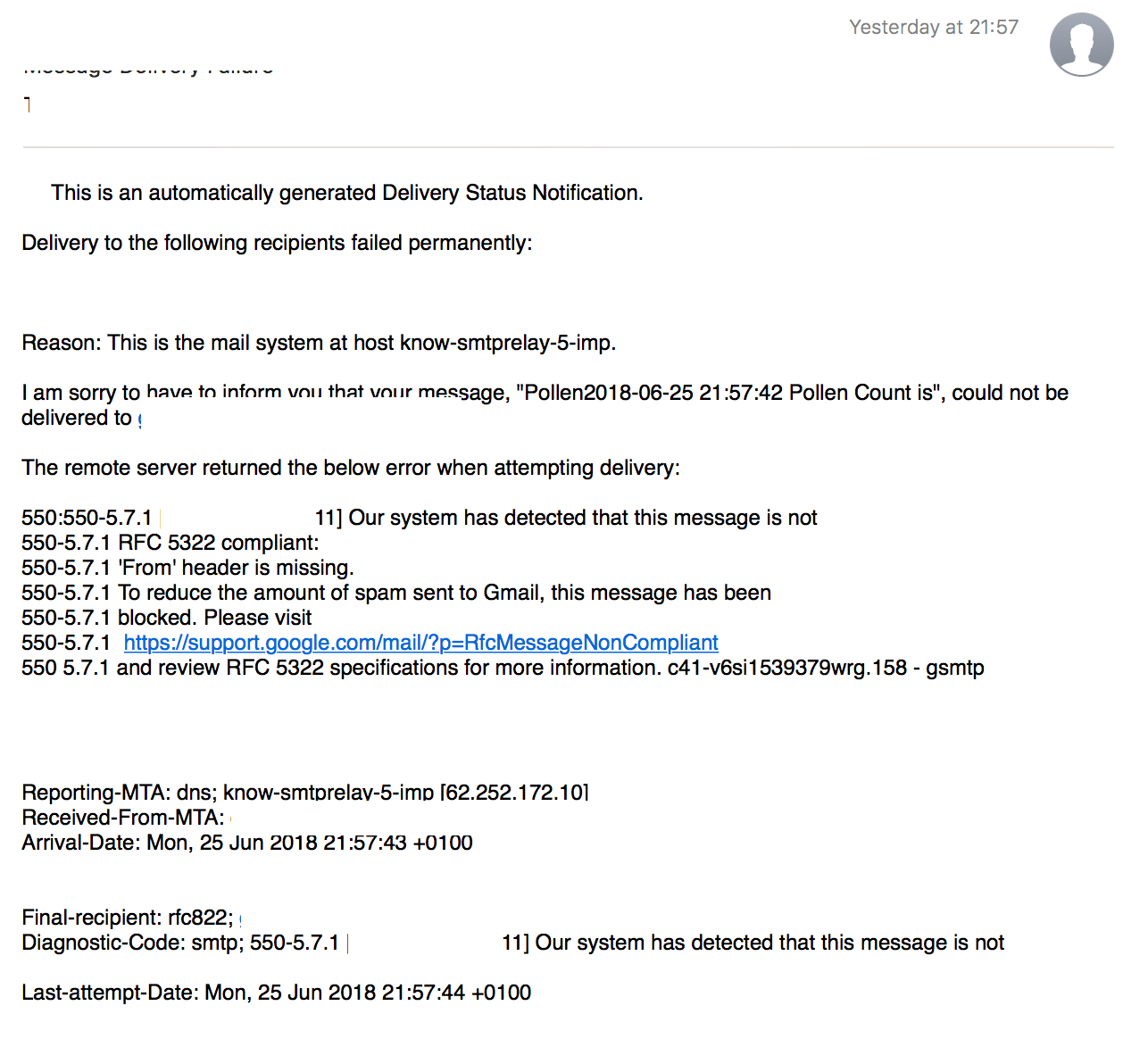
The message left my device and ended up at the email recipients mail provider and then bounced back as a 550 5.7.1.
This was because even though smtplib had a from, to, subject and header it also needed a “From” in the email header. So with a little code change so that I declared the From address in the header and it worked!
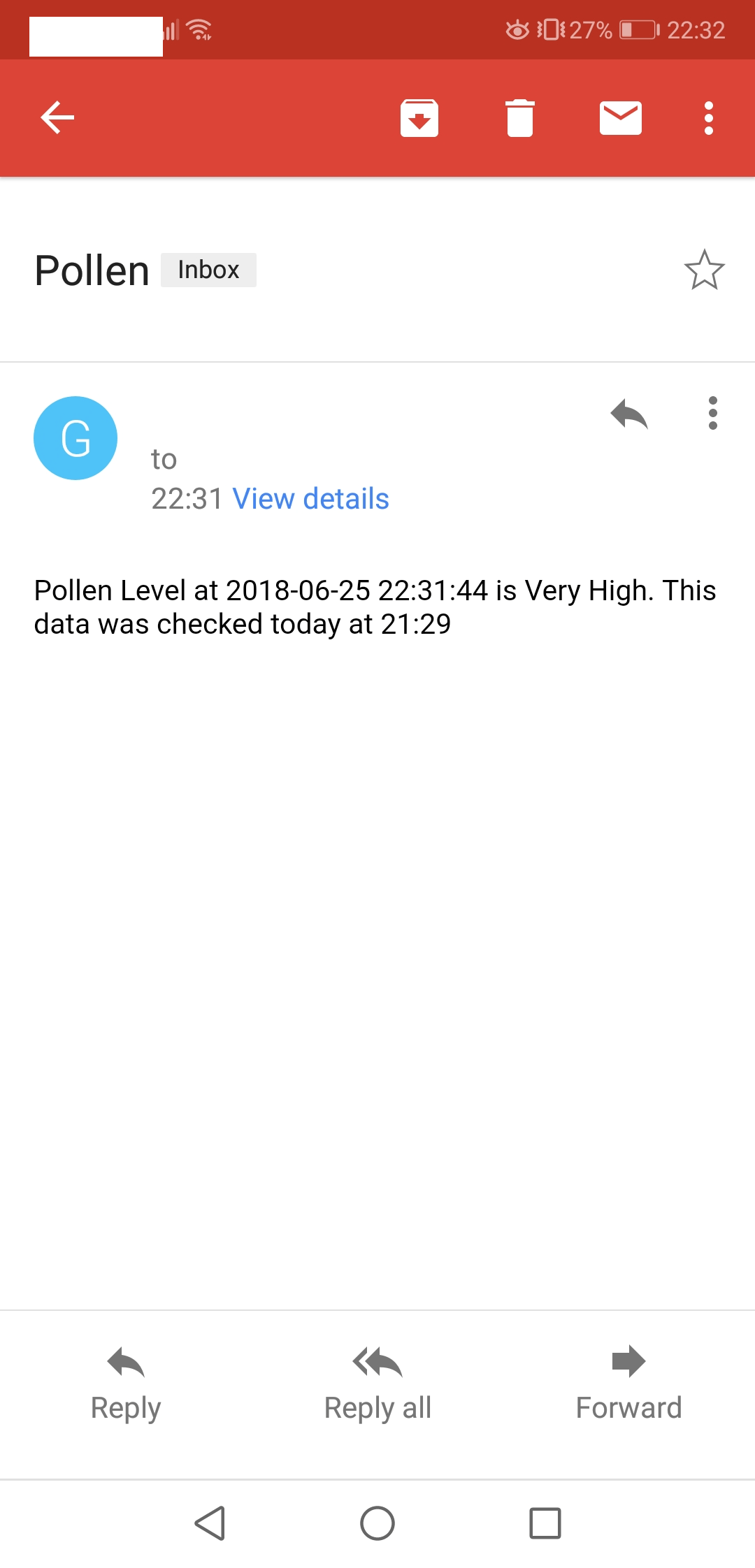
Now I just need to set up a job for it in Cron 🙂
#!/bin/python3
#geektechstuff

#libraries to import
from datetime import datetime
import bs4
import requests
import smtplib

from email_settings import (
smtp_server,
port,
login_user,
login_pass,
from_address,
to_address
)

# get time
current_time = datetime.now()

# bbc website for Salford Weather
url = 'https://www.bbc.co.uk/weather/2638671'

# headers to identify the program as a web browser
headers = {
    'User-Agent': 'Mozilla/5.0 (Macintosh; Intel Mac OS X 10_13_3) AppleWebKit/604.5.6 (KHTML, like Gecko) Version/11.0.3 Safari/604.5.6'}

# get the website
res = requests.get(url, headers=headers)
res.raise_for_status()
soup = bs4.BeautifulSoup(res.text, 'html.parser')

pollen_level_ue = soup.findAll('span', {'class': 'wr-c-environmental-data__full-text wr-hide-visually'})
last_update_time = soup.findAll('time')

# Edit the pollen text to be more readable
ttedit = str(pollen_level_ue)
head, sep, tail = ttedit.partition('>')
ttedit2 = tail
head, sep, tail = ttedit2.partition('<')
pollen_level_edited = head.strip()

# edit time text to be more readable
time_edit = str(last_update_time)
head2, sep2, tail2 = time_edit.partition('>')
time_edit2 = tail2
head2, sep2, tail2 = time_edit2.partition('<')
time_edited = head2.strip()

current_time_edit = str(current_time)
head3, sep3, tail3 = current_time_edit.partition('.')
current_time_edited = head3

pollen_level_edited = str(pollen_level_edited)
time_edited = str(time_edited)
current_time_edited = str(current_time_edited)

# smtp aka email settings
smtpObj = smtplib.SMTP_SSL(smtp_server, port)
smtpObj.login(login_user, login_pass)

msg_pollen = 'Pollen Level at ' + current_time_edited + ' is ' + pollen_level_edited + '. This data was checked ' + time_edited
msg_pollen = str(msg_pollen)

smtpObj.sendmail(from_address, to_address,
                 'From: geektechstuff@virginmedia.com\nSubject: Pollen\n\n' + msg_pollen)
smtpObj.quit()


 GeekTechStuff
2 responses to “Pollen Check V2 (Python) – Or How To Send E-Mail Via Python”
[…] on from my Pollen Count project I wondered if it would be possible to send the same information via SMS (Short Message […]
LikeLike
[…] used the SMTP knowledge I got from my Pollen […]
LikeLike