Over the weekend I was thinking about ways to check which users could access a folder, which lead me into wondering if a report could be run to show multiple folders and save the results. After a little bit of thinking and I had knocked up some PowerShell:
PowerShell Get-ACL for one folder
The PowerShell uses a variable called $foldername to store the path of the folder to check and then uses the GET_ACL function to return the foldername, groups/users that have permissions to the folder and the permissions that the groups/users have, then outputs the results in a table and outputs them (>>) to a file. I was originally going to look at creating a CSV (comma separated value) file but liked the table, so a TXT file would work just as well for output.
PowerShell GET-ACL Multiple Folders
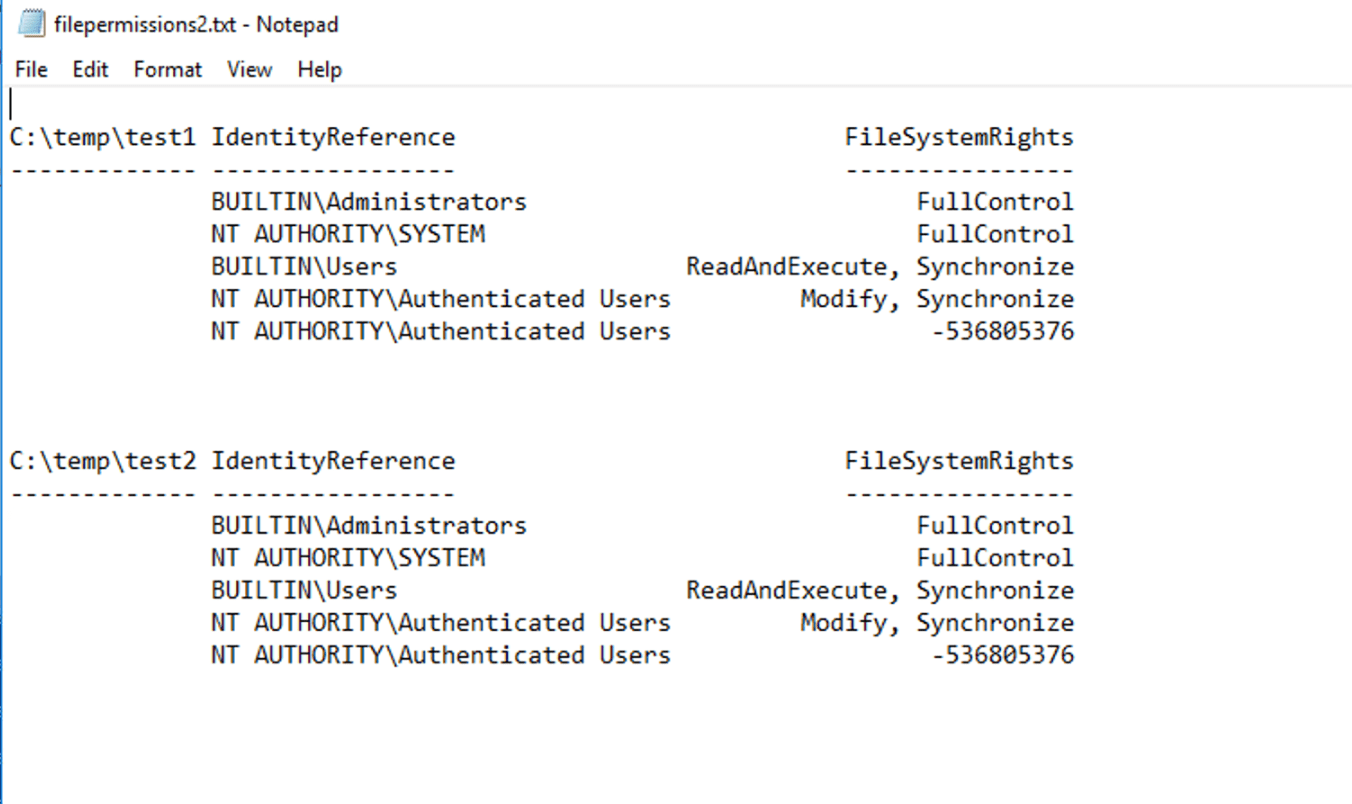
I then expanded on it so that the PowerShell ran through multiple sub-folders of a folder and reported back on each of them.
$folder_path = ‘C:\temp’ <<- main folder to check in
$save = ‘C:\temp\filepermissions2.txt’ <<-File to Output to
$folders = GCI $folder_path\* (reading the child-items of the folder)| Where-Object{$_.psiscontainer -eq $true} <<- only reading folders (containers)
foreach ($folder in $folders){ <<- running action on each sub-folder of the main folder
$gets_acl = GET-ACL $folder.FullName (Getting the access for each sub-folder)| ForEach-Object{$_.Access} |ft $folder.Fullname, IdentityReference, FileSystemRights (sorted results into a table)| Out-File $save -append (Outputting the resulting table to a file and appending it so as to not-overwrite data)
My home away from home and where I will be sharing my adventures in the world of technology and all things geek.
The technology subjects have varied over the years from Python code to handle ciphers and Pig Latin, to IoT sensors in Azure and Python handling Bluetooth, to Ansible and Terraform and material around DevOps.




 GeekTechStuff
You must be logged in to post a comment.