
My previous blog post introduced creating classes in C++, and I used public. Re-reading that post I realised I should go into a little more detail on public and private.
Public and Private
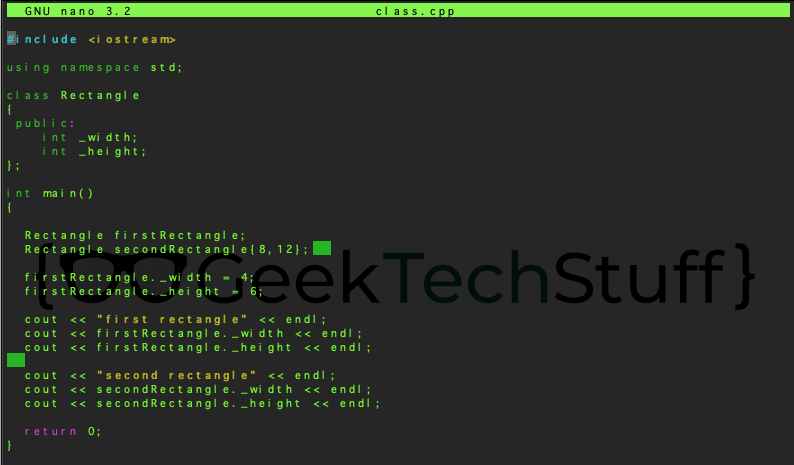
The spaces within C++ allow for data to be:
- public
Public is available throughout the program. It can be defined in a class or method, then called on somewhere else. By default objects within a struct are public.
- private
Private means it cannot be accessed outside of the area it is defined in. By default objects within a class are private, which is why I have declared them as public in my Rectangle class.
The reason for the public / private options is to keep data secure. For example, in regards to the Rectangle class, I may want to keep the width and height variables private but want to make a variable called recArea (containing the rectangle’s area) public.
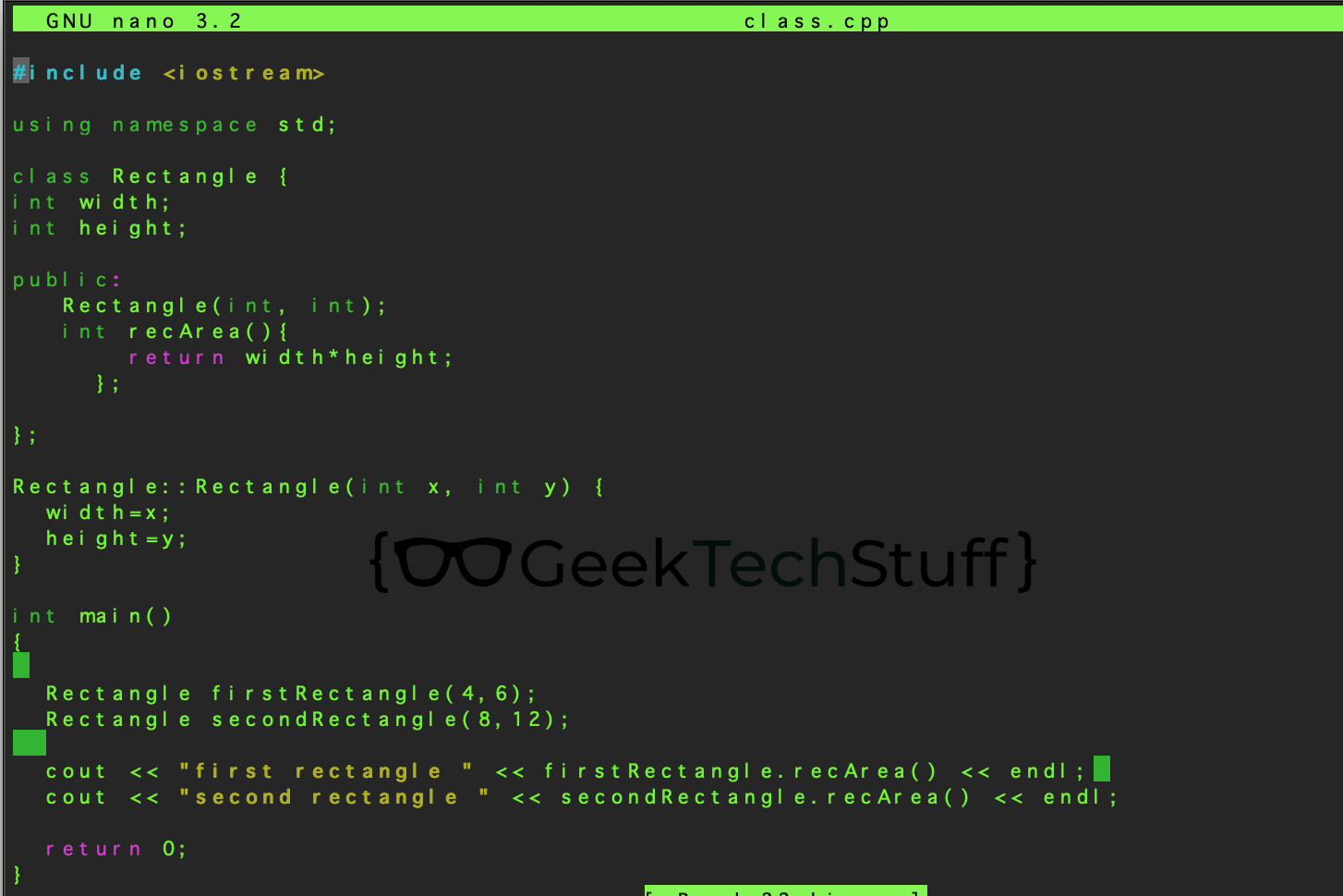
To do this I need to modify my previous Rectangle class a little:
#include <iostream>

using namespace std;

class Rectangle {

int width;

int height;

public:

   Rectangle(int, int);

   int recArea(){

       return width*height;

     };

};

Rectangle::Rectangle(int x, int y) {

  width=x;

  height=y;

}

int main()

{

  Rectangle firstRectangle(4,6);

  Rectangle secondRectangle(8,12);


  cout << "first rectangle " << firstRectangle.recArea() << endl;

  cout << "second rectangle " << secondRectangle.recArea() << endl;

  return 0;

}
Breaking this code down and the Rectangle class now has 2 private objects and 2 public objects:
class Rectangle {

int width;  // declares an integer variable called width (private)

int height; // declares an integer variable called height (private)

public:

   Rectangle(int, int); // Rectangle should expect 2 arguments (public)

   int recArea(){

       return width*height;

     }; // function to return width*height i.e. area of a shape (public)

};
Outside of the class a constructor is used to declare that when a Rectangle is created it should initialise the Rectangle object with the two integer variables being passed to width and height.
Rectangle::Rectangle(int x, int y) {

  width=x;

  height=y;

}
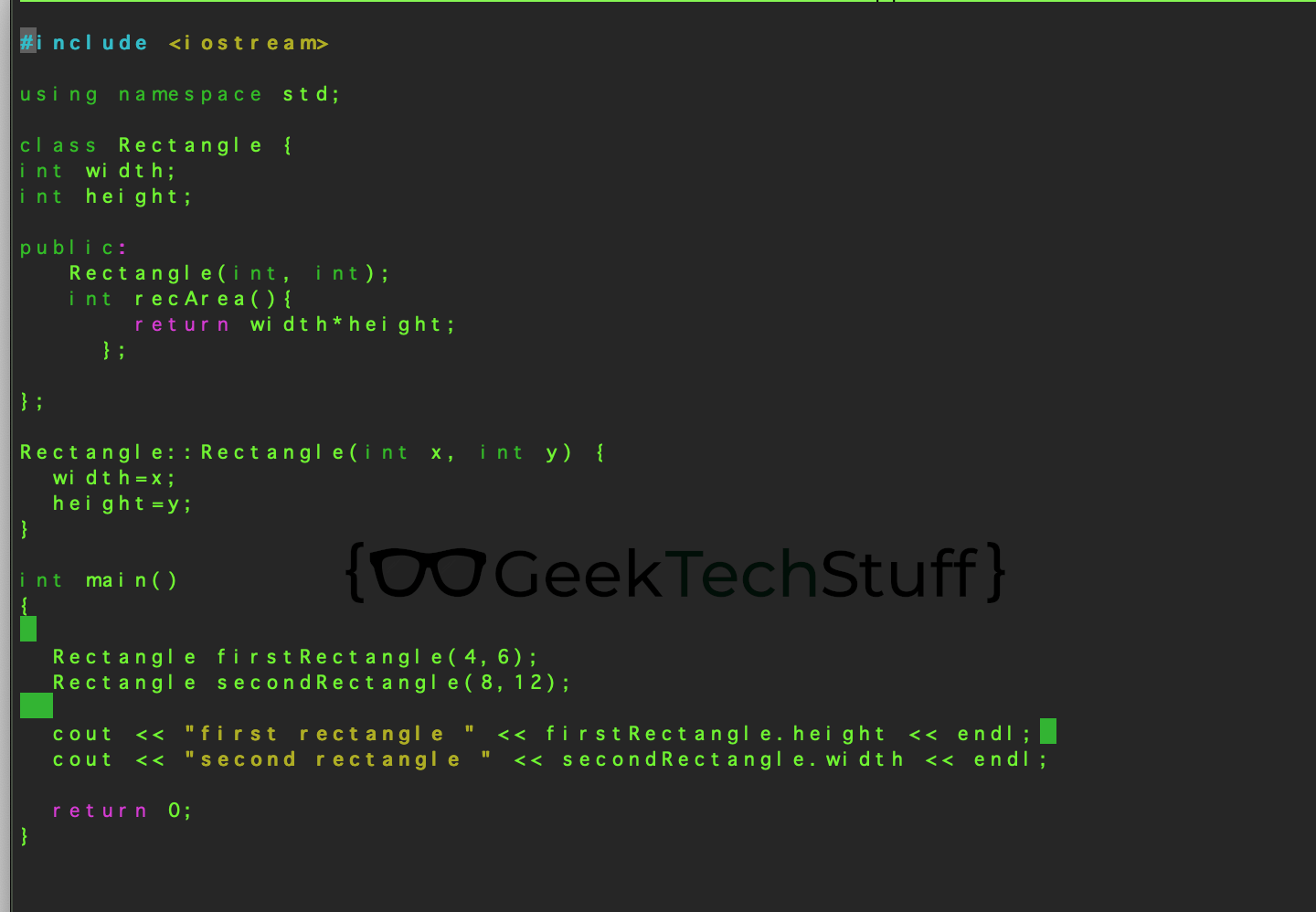
If I try to call the individual height or width of a rectangle object outside of the class space it will generate an error as both height and weight are private.
For example the below will not compile due to height and weight being private:
#include <iostream>

using namespace std;

class Rectangle {

int width;

int height;

public:

   Rectangle(int, int);

   int recArea(){

       return width*height;

     };

};

Rectangle::Rectangle(int x, int y) {

  width=x;

  height=y;

}

int main()

{

  Rectangle firstRectangle(4,6);

  Rectangle secondRectangle(8,12);


  cout << "first rectangle " << firstRectangle.height << endl;

  cout << "second rectangle " << secondRectangle.width << endl;

  return 0;

}
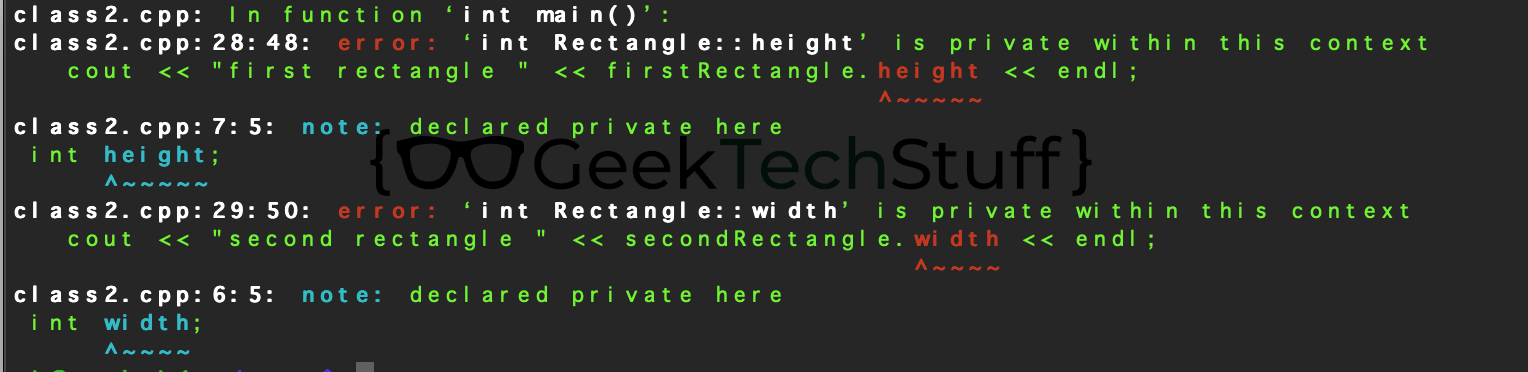
The C++ compiler on my Raspberry Pi tells us that the error is what we expected, height and width are private and unavailable in the space I have called them:



 GeekTechStuff
You must be logged in to post a comment.