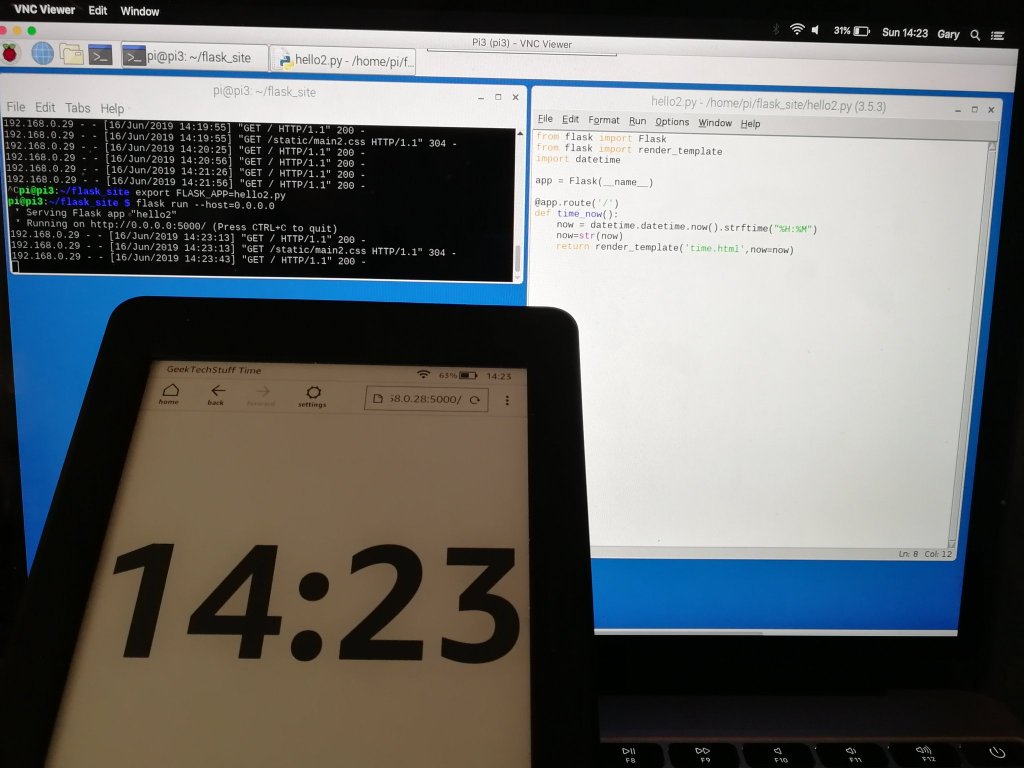
A little bit of a mini weekend project today as I wanted to put my Amazon Kindle to use when I’m not reading, and decided that the Kindle’s “Experimental Browser” could be useful. How about an eInk digital clock…
Note: I’m using Python for this project but similar results could be attained using JavaScript or Java etc. Why Python then? Because I like the language 🙂
For this project I am using:
- A Raspberry Pi 3 as my web server
- Flask as my web development framework as it is light weight and quick to throw together
- A very basic HTML template to work with the CSS
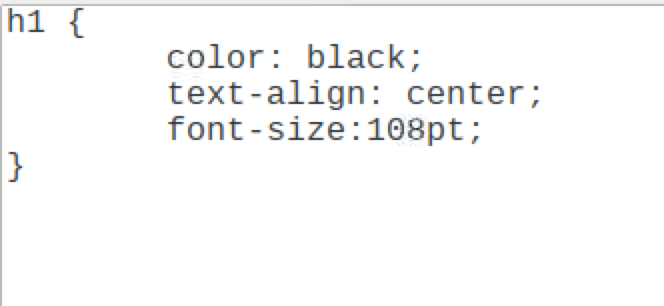
- A very basic CSS file to control the font size
- An Amazon Kindle
First the Python:
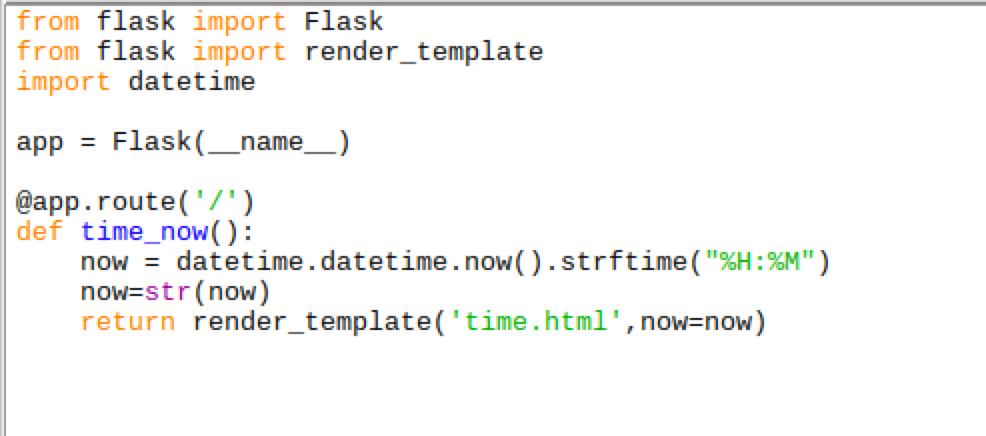
From the flask library I’ve imported Flask (to serve the data) and render_template to write the data to a HTML template (called time.html). I have imported datetime to produce the time.
Then the HTML / CSS:

As the Kindle is a mono eInk screen I have kept the HTML (and the CSS) very simple. A title for the page, the data {{now}} that I want Flask to update and a line to make the page automatically refresh every 30 seconds.
The HTML, CSS and Python are saved in a folder structure like this:
/Flask site/
– static (folder containing the CSS file)
-templates (folder containing the html file)
-python file (.py)
And finally to serve the page up, kick starting Flask:

- Navigate to the folder containing the relevant Python file and run export FLASK_APP=python_file_name.py
- Then to server the page on your home network type flask run –host=0.0.0.0
- Note that the above shows Flask running on my Pi on port 5000
On the Kindle, open the browser and navigate to the Pi’s IP address:5000 (e.g. 192.0.168.4:5000).

Note 2: As the HTML refresh is every 30 seconds the clock may be a few seconds out. Reducing the 30 seconds will increase accuracy but also increase page refreshes / eink screen usage.



 GeekTechStuff
One response to “Using a Kindle as an eInk Clock (Python)”
[…] on today I used Python (via Flask, some HTML and my Raspberry Pi) to help turn my Amazon Kindle into an eInk digital clock. This was cool and I was happy until I […]
LikeLike