In my approach to keep learning I’ve signed up to Programming 102: Think Like A Computer Scientist” via FutureLearn and the Raspberry Pi Foundation. The course is available for free (or for a small fee to have a certificate) at:
I’m using this blog post to post my code for the course. The course runs for 4 weeks and is estimated to take 2 hours a week.
Week 1
1.7 Functions
Task: “Create a function that asks the user for the height and base of a triangle, and then calculates and prints out its area.”
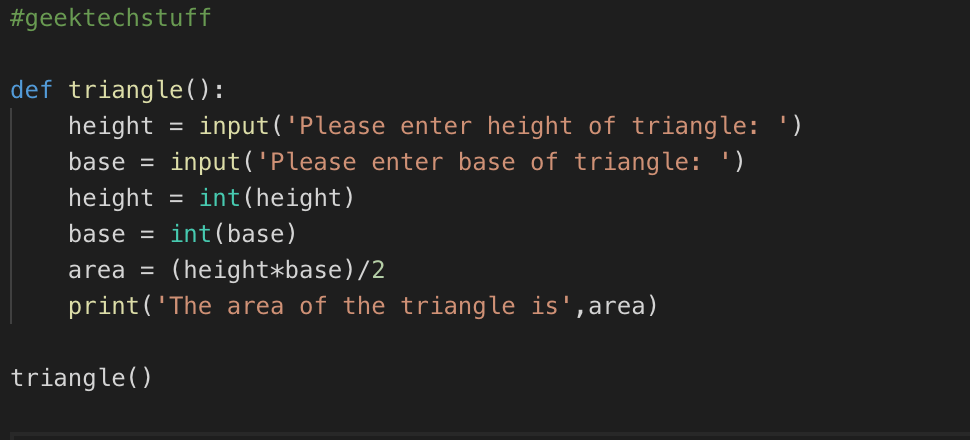
For the first part of this task I had to remember how to for the area of triangle (Base*Height/2). Then I needed to write it as a function and I called on the function to test it:
A function to find the area of a triangle
def triangle():
height = input(‘Please enter height of triangle: ‘)
base = input(‘Please enter base of triangle: ‘)
height = int(height)
base = int(base)
area = (height*base)/2
print(‘The area of the triangle is’,area)
triangle()
1.8 Functions Including Parameters
Task: “Create a function that accepts a string and returns the same string reversed”.
A function to take a string via user input and reverse it
def reverse_string():
input_string = input(‘Enter some text: ‘)
string_revs = input_string[::-1]
return string_revs
print (reverse_string())
1.9 Functions With Parameters
Task: “At the moment all our circles are drawn at the centre of the screen. Can you add parameters to the draw circle function so that you can draw circles at different locations on the screen?“.
A Turtle Function to draw a circle at X,Y co-ordinates.
from turtle import Turtle
george = Turtle()
def draw_circle(name,r,color,x,y):
name.penup()
name.color(color)
name.goto(x,y)
name.pendown()
name.dot(r*2)
draw_circle(george, 50,”blue”,-100,50)
1.10 Return Values
Task: “Create similar functions to calculate the area of rectangles and use them in your draw_rectangle function to annotate rectangles.”
My home away from home and where I will be sharing my adventures in the world of technology and all things geek.
The technology subjects have varied over the years from Python code to handle ciphers and Pig Latin, to IoT sensors in Azure and Python handling Bluetooth, to Ansible and Terraform and material around DevOps.




 GeekTechStuff
3 responses to “Programming 102 “Think Like A Computer Scientist” (Python / Raspberry Pi)”
[…] originally planned to do one blog entry for all the Programming 102 course (see: https://geektechstuff.com/2019/01/21/programming-102-think-like-a-computer-scientist-python-raspberr…/) but due to the amount of coding tasks/challenges (which is great) I’ve going to do one for […]
LikeLike
[…] blog post continues on from my previous Programming 102 […]
LikeLike
[…] Programming 102 “Think Like A Computer Scientist” (Python / Raspberry Pi) […]
LikeLike