PDF Merge Website (Python)

Merging multiple PDFs seems to be a common request, and most people don’t want to spend a small fortune on a tool to do the merging. I first looked at this problem with an early Python project (https://geektechstuff.com/2018/02/17/python-3-merge-multiple-pdfs-into-one-pdf/) and later improved on that project by adding a simple GUI (https://geektechstuff.com/2018/07/04/pdf-merge-with-gui-v2-python/).

Now I have gone a step further and created the PDF merge tool in a Flask powered website. I’ve even created the relevant Docker file so that it can be containerised if needed.

Note: I’m using this in my development environment, if you are going to make it live in a production environment make sure to tidy up some of the features / security etc.
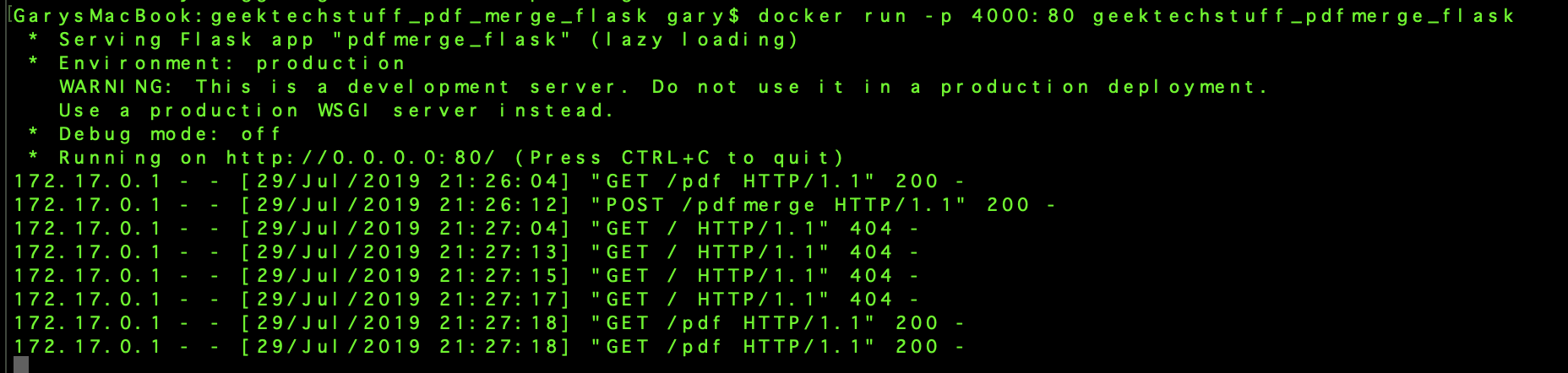
geektechstuff_pdfmerge_flask_docker
If running in a Docker container note my current HTML references port 4000!

Python:

——

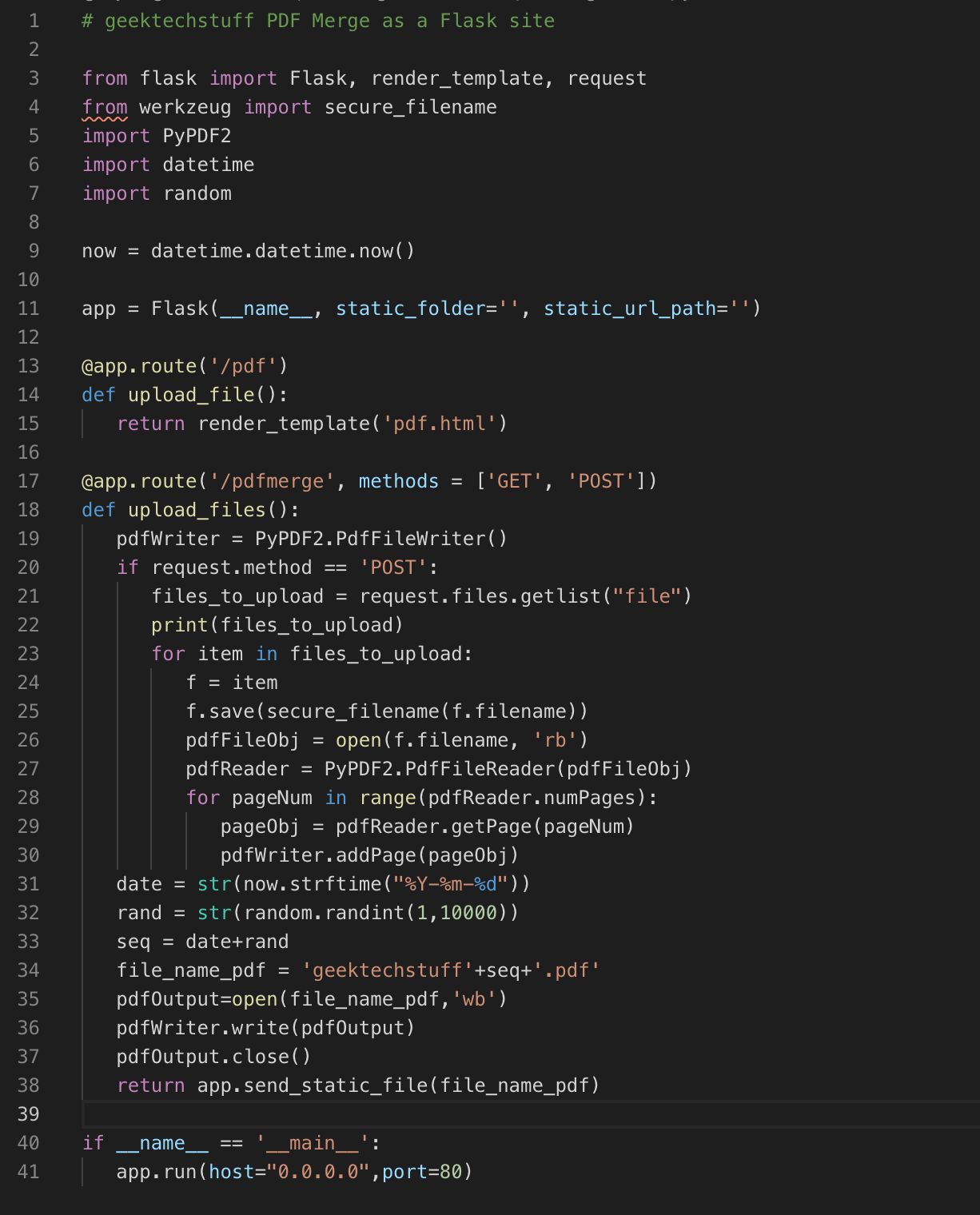
# geektechstuff PDF Merge as a Flask site
from flask import Flask, render_template, request
from werkzeug import secure_filename
import PyPDF2
import datetime
import random
now = datetime.datetime.now()
app = Flask(__name__, static_folder=”, static_url_path=”)
@app.route(‘/pdf’)
def upload_file():
return render_template(‘pdf.html’)
@app.route(‘/pdfmerge’, methods = [‘GET’, ‘POST’])
def upload_files():
pdfWriter = PyPDF2.PdfFileWriter()
if request.method ==’POST’:
files_to_upload = request.files.getlist(“file”)
print(files_to_upload)
for item in files_to_upload:
f = item
f.save(secure_filename(f.filename))
pdfFileObj = open(f.filename, ‘rb’)
pdfReader = PyPDF2.PdfFileReader(pdfFileObj)
for pageNum inrange(pdfReader.numPages):
pageObj = pdfReader.getPage(pageNum)
pdfWriter.addPage(pageObj)
date = str(now.strftime(“%Y-%m-%d”))
rand = str(random.randint(1,10000))
seq = date+rand
file_name_pdf = ‘geektechstuff’+seq+’.pdf’
pdfOutput=open(file_name_pdf,’wb’)
pdfWriter.write(pdfOutput)
pdfOutput.close()
return app.send_static_file(file_name_pdf)
if __name__ == ‘__main__’:
app.run(host=”0.0.0.0″,port=80)
—-
geektechstuff_pdfmerge_flask
Python Flask to merge PDFs
HTML:
—-
geektechstuff_pdfmerge_html
HTML Template

Running the site:

geektechstuff_pdf_merge_site
PDF Merge site up and running

To run the site copy the files from my Github (link below) and save them into a folder (something like “geektechstuff_pdf_merge_flask”), via the terminal navigate into the folder and either run:

FLASK_APP=pdfmerge.py flask run

Then open a web browser and navigate to the appropriate host (Flask will say what address:port it is running on).

OR

build the included Docker file and run the container in Docker.

The files for this project can be found on my Github: https://github.com/geektechdude/Python_PDF_Merge_Flask_Site

Notes (Or things I need to sort in next version):

  • Get it to clear any uploaded PDFs on merge completion
  • Get it to clear any created PDFs after a time frame
  • Tidy up HTML and make it look better

 

One response to “PDF Merge Website (Python)”

  1. Jenkins – Connecting To GitHub and some Python – Geek Tech Stuff Avatar

    […] am going to use my Python Flask project as the source, and as it is hosted on GitHub I am going to choose “GitHub project” and […]

    Like

Welcome to GeekTechStuff

my home away from home and where I will be sharing my adventures in the world of technology and all things geek.

The technology subjects have varied over the years from Python code to handle ciphers and Pig Latin, to IoT sensors in Azure and Python handling Bluetooth, to Ansible and Terraform and material around DevOps.

Let’s connect