
Bored of the usual GitHub profile page? Want to share more than a few lines of text. Did you known you can alter it with a unique readme file that then allows you to use the markdown language to show text, links, emojis, and pictures on your GitHub profile.
Creating Your GitHub ReadMe Profile
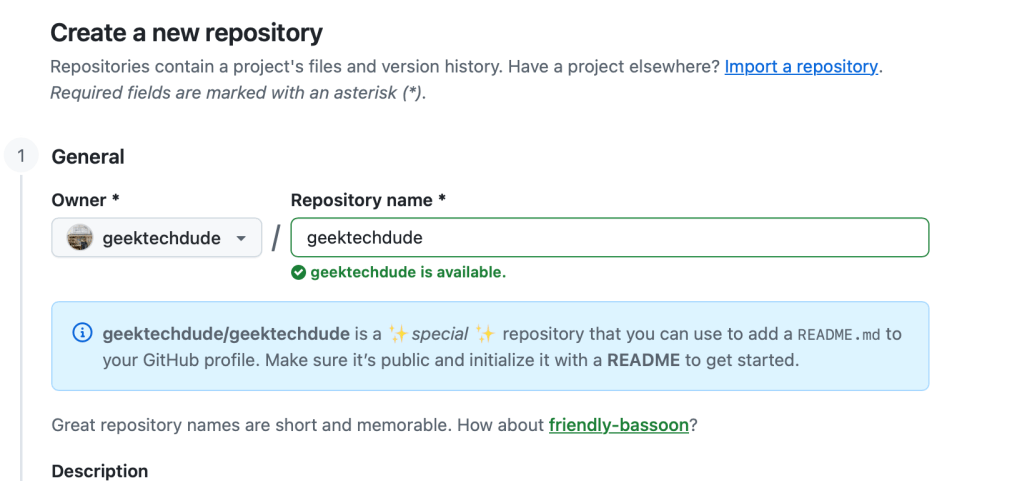
- Create a new repository that has the same name as your GitHub username
- Populate it with a README file (e.g. README.md)
- Edit the README using Markdown
- That’s it






You must be logged in to post a comment.