-
 Continue reading →: SSH Banner Text (Raspbian)
When you connect to a system via SSH a banner of text is displayed. Today I am going to look at changing the default SSH banner text on my Raspberry Pi 4 (Raspbian Buster). The default Raspbian Buster SSH banner looks like this: This banner contains: Information about the system…
-
 Continue reading →: Installing PowerShell Core on Raspbian (Raspberry Pi)
PowerShell Core is a version of PowerShell that can be installed on Windows, Mac OS X (I covered it here) and Linux, i.e. Raspbian. For this blog post I am going to using my Raspberry Pi 4 and Raspbian (Buster). “PowerShell is a task automation and configuration management framework from…
-
 Continue reading →: Command Line Fun (Raspberry Pi / Mac OS X Terminal)
The command line / Terminal is a fantastically powerful piece of technology and today I am going to share some of the shortcuts / facts I have learned to help speed up your usage of it. These shortcuts / facts should work on a Raspberry Pi, most Linux systems and…
-
 Continue reading →: Git Ignore & Git Log
I tackled some of the basics of Git / Git Hub in my previous blog post. Today I am going to look at Ignoring and Logging. Git Log Navigate to a folder that is git repository and run the command: git log This command should make the terminal output the…
-
 Continue reading →: Introduction To GitHub (Raspberry Pi)
Today I am looking at some commands to quickly get up and running on GitHub using a Raspberry Pi. The same instructions should work within other Linux based terminals and Mac OS X (minus apt-get). Wikipedia says that Git is: “…a distributed version-control system for tracking changes in source code…
-
 Continue reading →: Changing SSH Port (Raspberry Pi)
I regularly use SSH (Secure Shell) to control the various Raspberry Pis that I have set up as none of them are connected to a monitor / keyboard / mouse and it provides easy access from my laptop. Note: The first piece of advice when using SSH with Raspbian is to…
-
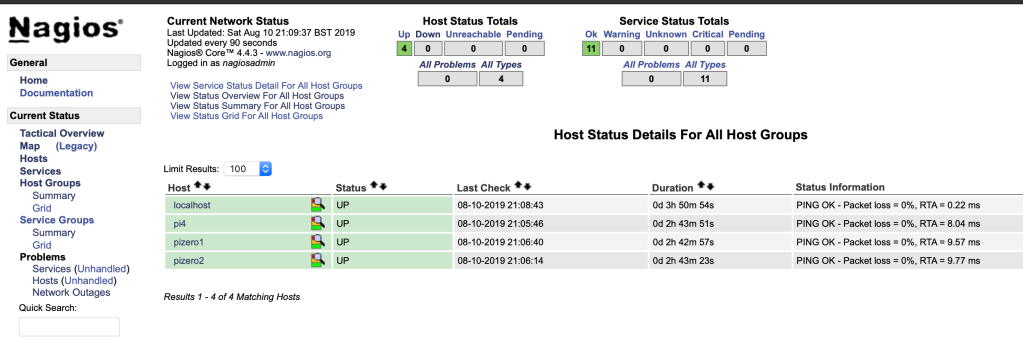 Continue reading →: Monitoring Multiple Pis With Nagios (Raspberry Pi)
Managing multiple Raspberry Pi devices can become a little bit of a task if done manually. Website gone down? SSH no longer connecting? Has a service stopped? Which is where Nagios comes into play. Nagios is software to monitor devices across a network and can be used to display the…
-
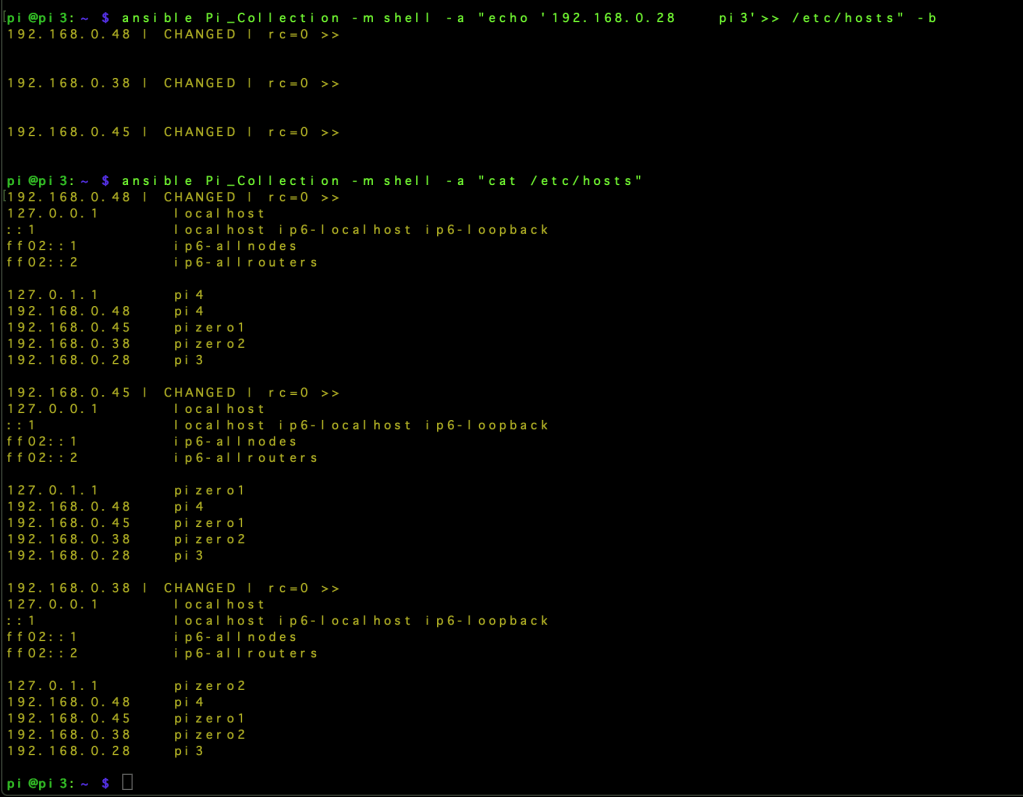 Continue reading →: Ansible – Updating Multiple Pis Hosts Files (Raspberry Pi)
In my “test” environment I currently have 4 Raspberry Pis that all have an IP address reservation on the network but there is no local DNS. Without DNS the devices cannot find each other by device name, i.e. they cannot resolve the names to IP addresses. This could be resolved…
-
 Continue reading →: PDF Merge Website (Python)
Merging multiple PDFs seems to be a common request, and most people don’t want to spend a small fortune on a tool to do the merging. I first looked at this problem with an early Python project (https://geektechstuff.com/2018/02/17/python-3-merge-multiple-pdfs-into-one-pdf/) and later improved on that project by adding a simple GUI (https://geektechstuff.com/2018/07/04/pdf-merge-with-gui-v2-python/).…
-
 Continue reading →: PowerShell Core on Mac OS (PowerShell)
PowerShell is an amazing command line, scripting & programming tool that I have used a few times on Microsoft Windows. PowerShell Core is now available for Mac OS and so today I am going to look at installing it on my MacBook. Note: I am installing PowerShell Core onto Mac…
Hello,
Welcome to GeekTechStuff

My home away from home and where I will be sharing my adventures in the world of technology and all things geek.
The technology subjects have varied over the years from Python code to handle ciphers and Pig Latin, to IoT sensors in Azure and Python handling Bluetooth, to Ansible and Terraform and material around DevOps.
Let’s connect
Join the fun!
Stay updated with the sites latest blog posts by joining the newsletter.




 GeekTechStuff